


1.9

data from the website www.trustpilot.com
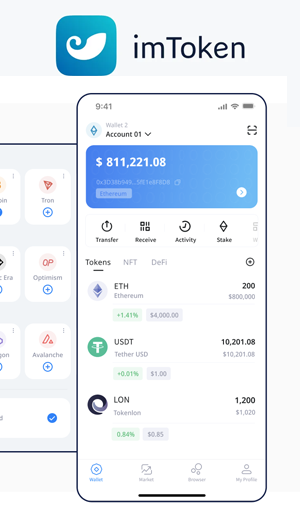
ImToken Wallet is a non-custodial crypto wallet where users independently manage their cryptocurrency and store their own seed phrase. With it, you can receive, send, and store your crypto assets, as well as use various dApps such as betting platforms, NFT marketplaces, and much more.
It’s worth noting right away that it does not support certain blockchains like Ton, Solana, Cardano, and several others.
Benefits
➕ Hardware Wallet Availability
The company sells the imKey hardware wallet, priced at $109. The fact that the company offers its users the option to purchase a hardware wallet is a definite plus—especially when you look at its specifications. Its military-grade CC EAL 6+ security chip inspires confidence. The imKey is fully compatible with the imToken software wallet and also supports MetaMask. Additionally, its compact dimensions (just 64 mm by 38 mm and 2.3 mm thick) make it easy to carry around.
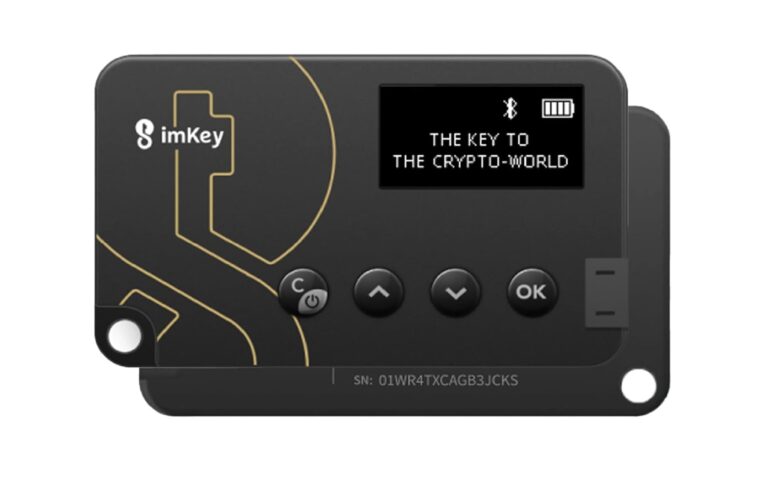
The imKey Hardware Wallet
➕ Anonymity
The absence of KYC procedures is a standard feature for a non-custodial wallet. My full name and other personal details are not required to use the crypto wallet. I appreciate the ability to skip identity verification checks, which have become commonplace in the financial world, so in this regard, ImToken Wallet deserves attention.
Drawbacks
➖Working with Ethereum and Ethereum-like Networks (EVM)
ImToken Wallet was originally designed to work with EVM networks. However, over time, developers have expanded support to include more popular networks like Bitcoin and Dogecoin. The lack of support for many other in-demand networks, such as Ton, Solana, Cardano, and Terra, is a serious drawback, as you’ll need to install additional wallets to work with them. As a result, you not only have to use multiple applications but also spend time managing them, which complicates the process of maintaining a cryptocurrency portfolio.
➖ No “Sell” Function
One of the disadvantages of ImToken Wallet is the absence of a “Sell” function. Instead, three other options are offered: Send, Receive, and Buy. It’s strange that adding a “Sell” feature proved too challenging for the developers. What am I supposed to do if I decide to sell my Bitcoin—find another crypto wallet? Fortunately, the programmers were at least thoughtful enough to include seed phrase export, so switching to a new application can be done relatively quickly.
➖ Interface
The ImToken Wallet interface is interesting, but the developers didn’t pay sufficient attention to functionality and ease of use. Setting up the tokens you need in the wallet feels like going through several circles of hell.
First, you have to create separate accounts for each network. You’ll need to select specific networks, which is clearly inconvenient for anyone using multiple tokens. Then, after creating the accounts, you’ll need to configure the desired tokens within each one. Additionally, users will have to select address types—for example, for Bitcoin.
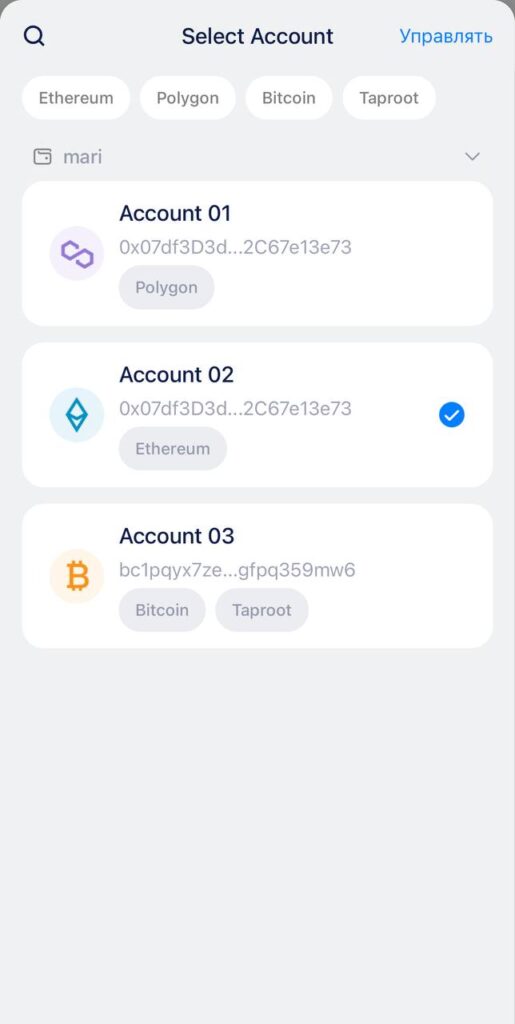
Having a separate account for each network is complete madness
Switching between different networks and wallets isn’t as simple as you’d hope either. You have to reselect the necessary networks and accounts every time you switch.
Conclusions
imToken Wallet isn’t the worst option for those who want to use a crypto wallet without worrying about KYC procedures and while maintaining their anonymity. Unfortunately, upon closer examination of its features, significant drawbacks emerged that make continuing to use the app simply impractical.
Personally, imToken Wallet doesn’t suit me, and here’s why:
- When using ImToken Wallet, you have to install additional applications to manage cryptocurrency held on more popular networks like TON or Solana.
- The need to create separate accounts for each network and configure specific tokens within them feels more like solving a puzzle than using a crypto wallet.
- The absence of a “Sell” function is utterly baffling, and the overly simplistic interface combined with a poorly executed Russian translation makes you wonder whether saving money on a professional translator was really worth it. Users who want to quickly exchange their assets for fiat currency will have to turn to third-party services. Hardly what you’d call a well-organized user experience.
ImToken Wallet: The Best Crypto Wallet for Russia
It seems that imToken Wallet is primarily oriented toward users from Asia, who might appreciate this simple, almost austere approach to design and its non-trivial set of features.
Given all these nuances, I’d rather download a different wallet to my phone. I value minimalism in design, but not to the extent of tolerating outright inconvenience when working with cryptocurrency.